
Your task list lives in three apps, and none of them talk to each other. Field crews miss assignments buried in group chats while managers chase status updates by phone. Picking the wrong automation tool adds another silo instead of removing one.
This guide walks through what to compare before you buy: cloud sync between chat and mobile apps, AI task creation by voice, GPS and face-verified attendance, encryption, and pricing in ₹ and $. You will also see where Tasks.Bot fits, including its beta status and free trial, so you can decide whether it suits your team.
What Is Tasks.Bot? The AI Task Automation Tool Built Inside WhatsApp
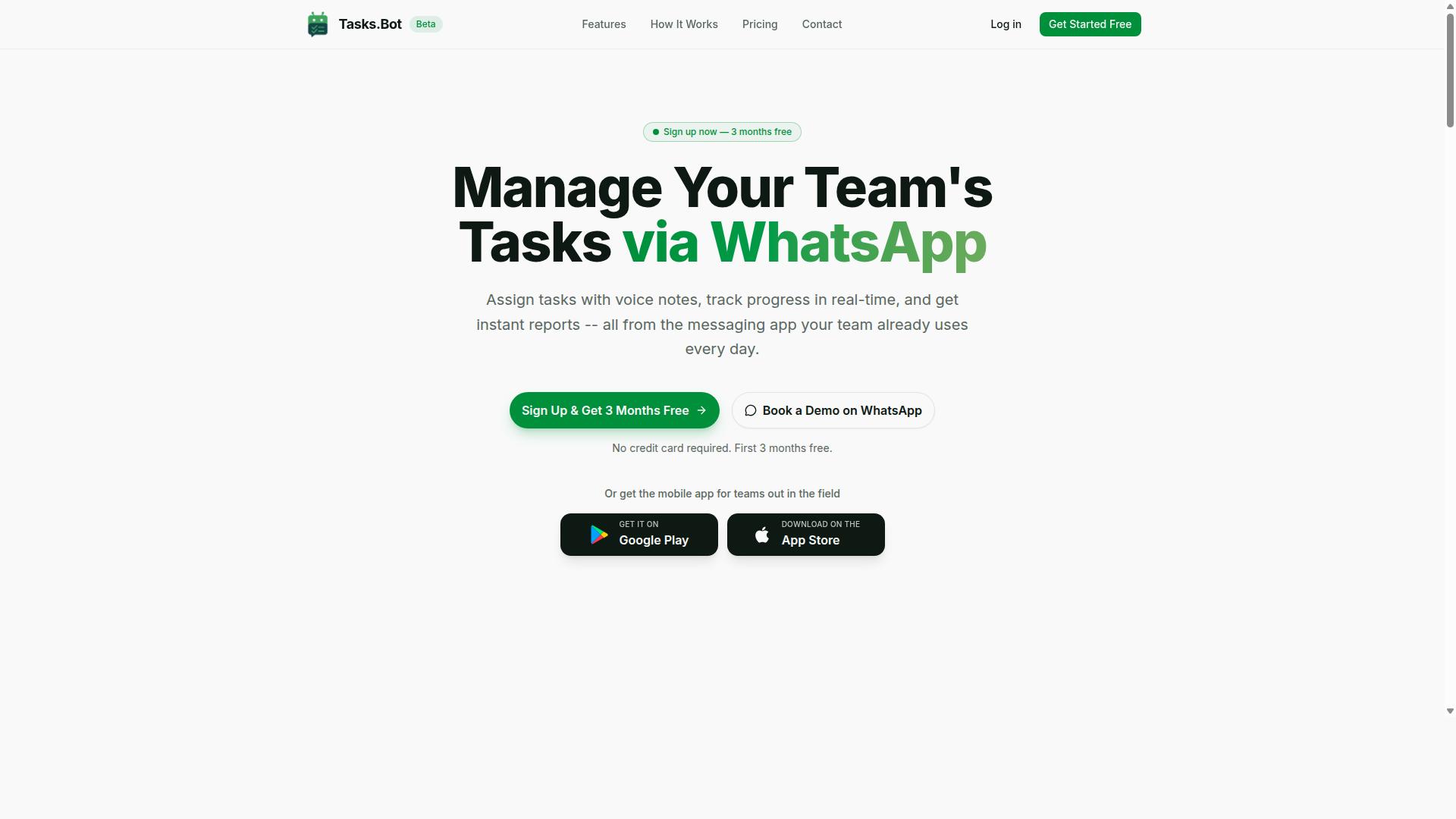
Tasks.Bot is a task management platform that operates entirely within WhatsApp, allowing teams to assign tasks, track progress, and receive reports without leaving the messaging app. Instead of asking users to adopt yet another dashboard, it turns a tool people already open dozens of times a day into the workspace itself.
That design choice matters for any buyer comparing options in this category. Most AI task automation platforms assume users will log into a separate web app, learn a new interface, and remember to check it. Tasks.Bot removes that assumption. The messaging app is the interface, so the barrier to daily adoption drops sharply.
For teams evaluating a cloud sync tool or workflow orchestration platform, this is a meaningful distinction. Adoption friction is one of the most common reasons automation projects stall after rollout. A WhatsApp-native approach sidesteps that problem by meeting users where they already are.
Tasks.Bot also offers a mobile app for field teams, which extends the same task management concept to workers who are not sitting at a desk. Field teams are often the hardest group to bring into a digital workflow, and a dedicated mobile option addresses that gap directly.
The product is delivered as a SaaS offering available globally. There is nothing to install on a server and no on-premise infrastructure to maintain, which keeps the evaluation process simple for buyers comparing cloud-based automation tools. Tasks.Bot is currently in beta and offers a free trial period, giving teams a low-risk way to assess whether a WhatsApp-first workflow fits how they operate.
In short, Tasks.Bot is best understood as a task automation tool built around a messaging habit rather than a new one. For teams that live in WhatsApp already, that is the core appeal.
Why Tasks.Bot Is a Smart Choice in the AI Task Automation Cloud Sync Market
Tasks.Bot stands out in the crowded AI task automation market by offering task management across WhatsApp and mobile apps, coupled with enterprise-grade security. For teams weighing their options in this buyer's guide, the appeal is straightforward: the tool meets people where they already work instead of forcing them onto a new platform.
Most task tools ask every team member to install software and create an account before anything gets done. Tasks.Bot operates entirely within WhatsApp, so no new accounts or installs are required for core task management. That single design decision removes the biggest barrier to adoption that stalls most workflow orchestration rollouts.
The platform uses AI to understand natural language and voice notes, turning a simple message into a structured task. It also provides Android and iOS apps with push notifications, voice capture, and a home screen widget, so the same task list travels with the team across devices.
Beyond the basics, Tasks.Bot covers the operational features field teams actually need: face-verified attendance, live GPS tracking, smart deadline reminders, approvals and automations, instant reports, tasks on a map, and shifts, leave, and hours management. The next two sections look at the mechanics that make all of this hold together: how tasks move across WhatsApp and the apps, and how data is protected.
How Tasks.Bot Syncs Tasks Across WhatsApp and Mobile Apps
Tasks.Bot keeps task updates consistent between WhatsApp and its companion mobile app, providing a unified task management experience. The two surfaces behave as one system rather than two disconnected inboxes.
When a change happens, it propagates across both surfaces. A field worker can update a task status by sending a WhatsApp message, and the manager sees that change in the mobile app. Neither side has to ask the other whether the update went through.
The apps support native task management on the device, so the WhatsApp thread and the app should never tell two different stories about the same task.
This matters for a few practical reasons:
- Field workers keep moving without waiting on a signal.
- Managers get a current picture without chasing status updates.
- Reports and reminders draw from the same task state on both sides.
For anyone comparing tools in this buyer's guide, that is the real test of a cloud sync tool. Task management across the channels a team already uses beats a feature list every time.
Enterprise-Grade Encryption and Data Security
Tasks.Bot employs enterprise-grade encryption, ensuring that sensitive task information remains secure.
Just as important is what does not happen to that data. Tasks.Bot states that conversations and task data are never shared or used for training. For teams handling client details, staff locations, or attendance records, that commitment is often the deciding factor in a security review.
Access control rounds out the picture. Buyers evaluating any integration platform as a service or automation tool should look for role-based access control, single sign-on, and multi-factor authentication, and should confirm which compliance standards a vendor actually holds, such as SOC 2 or GDPR. Where a specific certification is not published, treat industry-standard practices as the baseline and ask the vendor directly.
Tasks.Bot also supports face-verified attendance and live GPS tracking for field staff, both of which involve sensitive personal data. That makes the encryption and data-handling posture central rather than optional. Security is not a checkbox here; it is the foundation the rest of the feature set rests on.
Key Features and What Makes Tasks.Bot Stand Out
Tasks.Bot distinguishes itself with a suite of AI-powered features designed to streamline task management for teams that rely on WhatsApp. Instead of asking workers to learn a new dashboard or install yet another app, it meets them inside a messaging tool they already use every day.
That design choice matters for adoption. Field crews, small service businesses, and operations teams often resist software that adds friction to their shift. Tasks.Bot removes that friction by turning ordinary WhatsApp messages into structured, trackable work.
Three capability groups carry most of the weight here. First, AI-driven task creation that reads natural language and voice notes. Second, field team tools covering attendance, location, and daily progress. Third, automations and reporting that cut manual follow-up.
The sections below examine each in detail, including how they connect to the broader questions in this buyer's guide, such as API connectivity, webhook support, and role-based access control. Readers evaluating any AI task automation platform should weigh these same categories, because they determine whether a tool handles real operational load or only simple to-do lists.
AI-Powered Task Creation via Natural Language and Voice Notes
Tasks.Bot leverages AI to interpret natural language and voice notes, allowing users to create and assign tasks simply by sending a WhatsApp message. The system uses AI to understand user intent and create tasks from messages, so no forms or dropdown menus are required.
A typed message carries the assignee, the job, and the deadline, and the AI turns them into a structured task. Automatic task assignment then routes the work to the right person.
Voice notes work the same way. A supervisor can record a short message describing a job, and Tasks.Bot captures the details without any typing. This suits field teams who work with their hands and cannot stop to fill in a screen.
Convenience is the point. When task capture takes seconds, fewer requests slip through the cracks and nothing depends on someone remembering to log it later.
Field Team Tools: Face-Verified Attendance, GPS Tracking, and Live Day Tracker
For teams with field staff, Tasks.Bot offers face-verified attendance, GPS tracking, and a live day tracker to monitor progress. All three run through the same WhatsApp interface, which keeps adoption simple for workers who are not comfortable with complex software.
Face-verified attendance addresses a familiar problem. Buddy punching, where one worker clocks in for another, distorts payroll and hides absences. A face check ties the check-in to the actual person on site.
GPS tracking gives managers location visibility across the working day. Paired with tasks on a map, it shows where jobs sit and who is nearby, which helps when a schedule shifts and work needs reassigning.
The live day tracker shows task progress as the day unfolds, so a manager can see what is done, what is running late, and what has not started.
Shifts, leave, and hours management sit alongside these tools, giving a fuller picture of workforce availability rather than attendance alone.
Automations, Approvals, Smart Deadline Reminders, and Instant Reports
Tasks.Bot automates routine workflows with approvals, smart deadline reminders, and instant reports, reducing manual follow-ups. These features matter because coordination overhead, not the work itself, is often what slows a team down.
Approvals keep a manager in the loop without forcing them into a separate system. When a worker marks a job complete, the manager can review and approve it through WhatsApp. That creates a record of sign-off while keeping the decision where the manager already is.
Smart deadline reminders adapt to the timing of each task rather than firing on one fixed schedule. A job due this afternoon and a job due next week do not need the same nudge, and reminders that arrive at the wrong moment get ignored.
Instant reports turn activity into summaries, such as a daily task completion overview. Instead of chasing updates, a manager receives a picture of what the team finished.
Typical triggers and actions follow a simple pattern:
- A task moves to complete, which triggers an approval request to the manager.
- A deadline approaches, which triggers a reminder to the assignee.
- The working day ends, which triggers a completion report.
Alongside these, Tasks.Bot provides Android and iOS apps with push notifications, voice capture, and a home screen widget, so notifications reach users even when WhatsApp is not open. Together, the automations and apps replace the manual chasing that consumes a manager's day.
Pricing and Plans: Transparent Costs in ₹ and $
Tasks.Bot offers a single 'Full Access' plan with all features included, priced transparently in both Indian Rupees and US Dollars. There are no starter tiers, no feature gates, and no upsells waiting after checkout. Every capability the platform offers sits inside one plan, which makes cost forecasting simple for teams of any size.
That structure matters when you evaluate any AI task automation tool. Many vendors split workflow orchestration, API connectivity, or webhook support across multiple paid levels, so the advertised entry price rarely reflects what a real deployment costs. With Tasks.Bot, the number you see is the number you pay.
Pricing is published in two currencies so a global audience can budget without conversion guesswork. A 'Select currency' option lets buyers choose between Indian Rupee and US Dollar, and it is worth verifying the correct currency before you commit.
| Plan | Price | Billing Basis |
|---|---|---|
| Monthly | ₹200 per member per month (or USD equivalent) | Billed each month |
| Annual | ₹1,200 per year per member (or USD equivalent) | Billed once a year, save 50% |
The annual plan saves 50%, which works out to ₹1,200 per year per member compared with paying month to month. For a team comparing total cost of ownership, that gap is significant, especially once seat counts grow.
New users also get 3 months free, with no credit card required, and can cancel anytime. That combination removes most of the risk from an initial evaluation, since you can test real workflows before any payment is made.
When comparing vendors in a buyer's guide, look past the headline rate. Check whether integrations, scheduled tasks, or event-driven triggers sit behind higher tiers elsewhere, and confirm which currencies are supported. Tasks.Bot keeps all of that inside one published price, in ₹ or $, with the savings and free trial stated up front.
Trust Signals: Beta Status, Free Trial, and Refund Policy
Tasks.Bot is currently in beta, offering early adopters a chance to shape the product, with a free trial and a refund policy for peace of mind. For anyone comparing AI task automation tools, these signals matter because they reveal how transparent a vendor is about where its product stands.
Trust signals are not marketing extras. They are practical indicators of how a vendor handles risk, feedback, and accountability. When a cloud sync tool openly states its development stage and offers ways to test or exit, buyers can evaluate it on real terms rather than promises.
This section explains what beta status, a free trial, and a refund policy each tell you about a vendor, and how Tasks.Bot presents these details.
Beta status as an opportunity. A product in beta is still evolving. That means features may change, and reliability may improve over time. For buyers, this cuts both ways: you get earlier access and often more direct influence on the roadmap, but you also accept some uncertainty.
Tasks.Bot is currently in beta. Early adopters can provide feedback that helps shape the product. For teams with clear automation needs and a willingness to report issues, beta participation can be worthwhile.
Beta status is also a transparency signal. A vendor that labels its stage honestly is not pretending to be finished. That honesty is more useful than a polished claim that hides the product's maturity.
Free trial as a low-risk test. A free trial lets you evaluate a tool against your own workflows before committing. For AI task automation, that matters because fit depends on your specific triggers, data sources, and sync requirements.
During a trial, focus on the fundamentals that affect daily use:
- Whether your key integrations connect without friction
- How scheduled tasks and event-driven triggers behave in practice
- Whether task management across WhatsApp and the apps meets your expectations
- How the tool handles data mapping, field transformation, and conflict resolution
- Whether error handling and retry logic give you enough visibility
A trial is also the right time to check authentication methods, API key management, and role-based access control if your team has security requirements. These are the details that separate a demo from a dependable integration platform as a service.
Refund policy as a safety net. A published refund policy shows a vendor is willing to stand behind its product. It also gives buyers a clear path if the tool does not fit after purchase.
The Tasks.Bot website includes a refund policy in the footer. That placement matters: it is easy to find, not buried in fine print. Before committing, read the policy carefully so you understand the conditions and any time limits.
For a no-code automation or low-code platform purchase, a refund policy reduces the cost of a wrong guess. It is not a substitute for testing during a trial, but it is a reasonable backstop.
How to weigh these signals together. Beta status, a trial, and a refund policy work as a set. Beta tells you the product is still developing. A trial lets you verify fit. A refund policy limits your downside if circumstances change.
Tasks.Bot also offers a Book a Demo on WhatsApp option, which gives prospective buyers a direct way to ask questions before deciding. That channel is useful for clarifying beta timelines, trial scope, and refund terms.
When you evaluate any AI task automation cloud sync tool, ask three questions:
- Is the development stage stated clearly?
- Can I test the core workflows before paying?
- Is there a written refund policy I can read in advance?
Tasks.Bot answers all three. It is in beta, it offers a free trial, and its refund policy is published in the footer. Combined with the WhatsApp demo option, these signals give buyers multiple ways to reduce risk and make an informed decision.
The verdict is straightforward. Tasks.Bot is transparent about its beta stage, gives you a trial to confirm fit, and backs purchases with a refund policy. For a buyer's guide, that is exactly the kind of openness you should look for.
Who Should Use Tasks.Bot
Tasks.Bot is ideal for teams that already use WhatsApp for communication, especially those with field staff who need task management, attendance tracking, and payroll-ready hours. If your daily coordination already happens in chat threads, the tool meets your team where it already works instead of forcing a new app on everyone.
That focus shapes everything about who gets the most value. The platform targets teams with mobile, distributed workers rather than office-only departments that live inside a desktop project board all day.
Small to medium businesses are a natural fit. These companies often have enough staff to need real structure, but not enough headcount to justify a heavy enterprise rollout or a dedicated IT administrator.
- Construction crews coordinating site tasks, shift attendance, and hours for payroll
- Field service teams dispatching jobs and confirming completion from the road
- Delivery teams tracking assignments and logging time across scattered routes
- SMBs that want simple task automation without a long setup project
Teams that need simple task automation benefit most. When the goal is assigning work, confirming it happened, and capturing hours, a tool built around chat and mobile use removes friction that larger workflow orchestration platforms often add.
The service is already used by hundreds of teams, which suggests the approach resonates with organizations managing people in the field rather than at a desk. If your staff rarely open a laptop during the workday, this is the audience Tasks.Bot was designed to serve.
Final Verdict: Is Tasks.Bot the Right AI Task Automation Tool for Your Team?
Tasks.Bot offers a compelling solution for teams seeking AI-powered task automation within WhatsApp, but it's important to weigh its beta status and feature set against your needs. This buyer's guide has walked through the criteria that matter most: integration depth, AI task automation, field usability, pricing clarity, and security. Here is how Tasks.Bot measures up against those standards.
The tool's core strength is its native WhatsApp integration. For teams already running operations through WhatsApp chats, this removes the friction of adopting yet another app. Tasks flow through a channel your staff already check daily, which lowers training time and boosts adoption.
Its AI features and field tools round out the package for mobile-first workforces. Field staff can manage assignments without sitting at a desk, and the AI layer helps route and organize tasks. For a no-code automation buyer comparing platforms, that combination is a genuine differentiator.
Pricing transparency is another point in its favor. Rather than forcing buyers through a sales maze, Tasks.Bot presents its costs clearly, which matters when you are building a business case for a cloud sync tool or workflow orchestration platform.
- Strong fit: WhatsApp-centric teams that want AI task automation without leaving the chat app
- Strong fit: Field teams needing mobile-friendly task tools
- Strong fit: Buyers who value transparent pricing and quick onboarding
- Weaker fit: Teams needing extensive third-party integrations or a mature iPaaS-style connector library
- Weaker fit: Organizations that cannot accept beta-stage software in production
There are honest limitations to acknowledge. Tasks.Bot is in beta, which means some features may still be evolving and edge cases may surface. If your workflow orchestration depends on dozens of external systems, deep API connectivity, or advanced data mapping, the current feature set may not yet cover every scenario.
That said, beta status is not a dealbreaker for the right buyer. Early-stage tools often ship improvements faster and listen harder to feedback. The key question is whether your must-have requirements are met today, not whether the product will eventually match a mature integration platform as a service.
To decide, run a short evaluation. List the channels your team actually uses, confirm which tasks need scheduled versus event-driven triggers, and check whether task management across WhatsApp and the apps is essential. If WhatsApp sits at the center of your operations and your integration needs are modest, Tasks.Bot is a strong candidate.
If your roadmap calls for heavy API key management, OAuth 2.0 flows across many services, or stringent compliance certifications, treat Tasks.Bot as a complementary tool rather than a full replacement for a larger platform. Match the tool to the job, not the other way around.
The verdict: for WhatsApp-centric teams with field staff, Tasks.Bot is a smart, practical choice. Its AI features, field tools, and clear pricing deliver real value with low adoption friction. Teams needing broad third-party connectivity should weigh that gap carefully before committing.
Ready to see it in action? Book a demo on WhatsApp, call +91 97143 42522, or email [email protected] to discuss your team's requirements.
Frequently Asked Questions
What should I look for in an AI task automation cloud sync tool?
Start with how your team already communicates, then check whether the tool fits that workflow instead of forcing a new one. Look for AI that understands natural language and voice notes, automatic task assignment, smart deadline reminders, approvals, and instant reports. Cloud sync matters most when tasks, attendance, and field activity stay up to date across everyone's devices without manual entry.
How is Tasks.Bot different from typical task management apps?
Tasks.Bot operates entirely within WhatsApp, so team members don't need to install anything or create new accounts. Tasks can be created with natural language or voice notes, assigned automatically, and tracked with smart deadline reminders, approvals, and instant reports. It also offers a mobile app for field teams, plus features like tasks on a map, live day tracking, and face-verified attendance.
Do I need to move my team off WhatsApp to use Tasks.Bot?
No. Tasks.Bot is built for teams that already use WhatsApp for communication, so it works inside the app your team knows. This is especially useful for teams with field staff who need task management, attendance tracking, and payroll-ready hours without adopting another platform. You can also book a demo on WhatsApp to see how it works before committing.
How much does Tasks.Bot cost, and is there a free option?
Tasks.Bot offers a 'Full Access' plan with all features included, priced in Indian Rupees (₹) and US Dollars ($). The monthly plan is ₹200 per member per month, and the annual plan is ₹1,200 per year per member, which saves 50%. There's no free tier mentioned, but the service is currently in beta and the site includes a refund policy in the footer.
Can Tasks.Bot handle attendance and field team tracking, or is it only for tasks?
It covers both. Beyond task management, Tasks.Bot offers face-verified attendance, tasks on a map, and live day tracking, which suits field teams that need visibility into where work is happening. Reports are instant, and hours can be payroll-ready, so attendance and task data stay connected rather than living in separate tools.
Is Tasks.Bot available in my country, and how do I get started?
Tasks.Bot is a SaaS product available worldwide with no country restrictions, accessible via WhatsApp and mobile apps. To get started, you can book a demo on WhatsApp directly from the website. For questions, reach the team at [email protected] or +91 97143 42522.
Recommended Resources: